Wireless CNC Aluminum Keyboard: LCD + Hot‑Swap Freedom
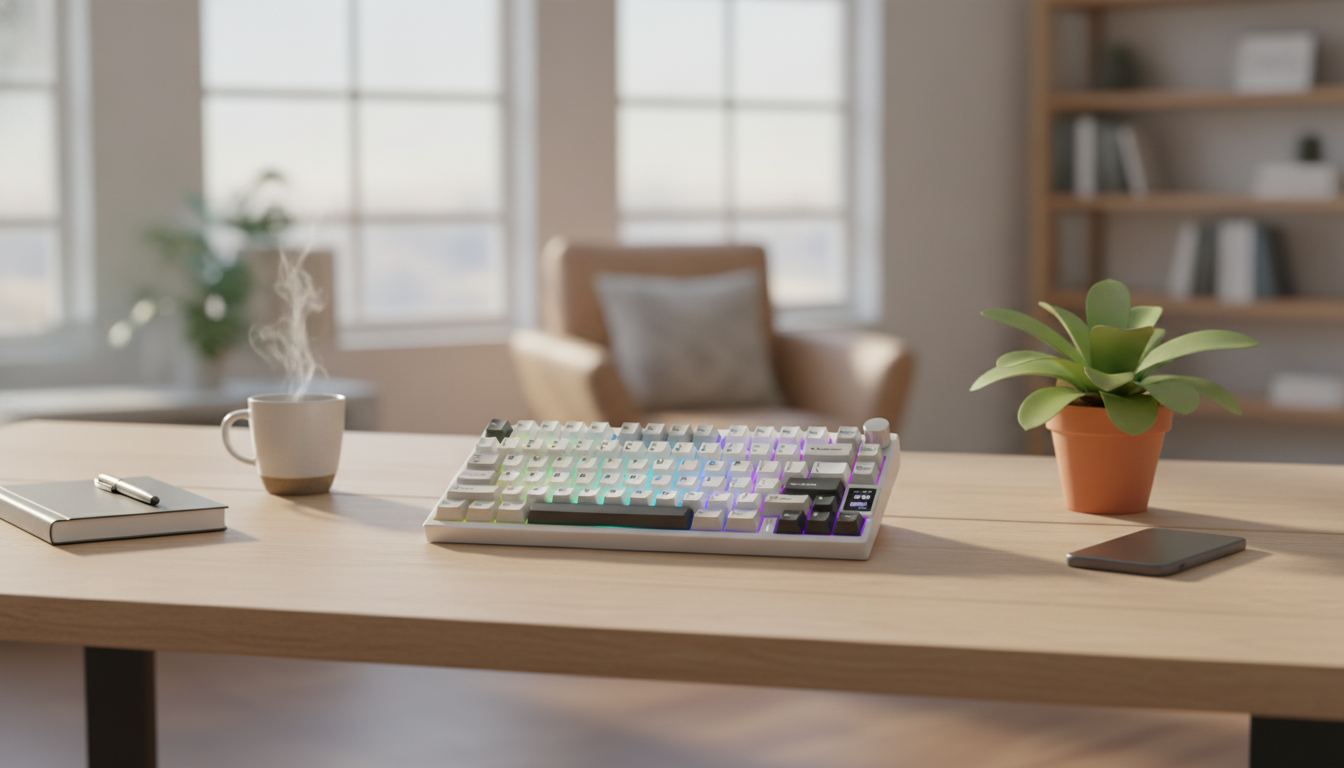
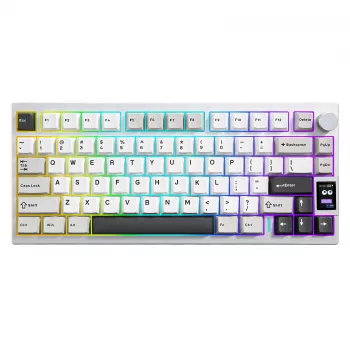
Wireless CNC Aluminum Mechanical Keyboard with LCD & Hot-Swap Switches
A premium mechanical keyboard that blends a CNC-machined aluminum body, wireless flexibility, an onboard LCD for at-a-glance info, and hot-swap switch support for easy customization—built for a clean desk setup that can move between work and gaming without hassle.
What Makes This Keyboard Different
This keyboard is built around a few features that tend to matter most once you’ve lived with a mechanical board day to day: structure, convenience, and customization. A CNC aluminum chassis adds rigidity and weight, helping the board feel planted and consistent. Wireless connectivity keeps the desk clean while making it easier to swap between devices. The built-in LCD adds quick status visibility (and sometimes simple visuals, depending on firmware/software). Finally, hot-swap sockets let you change compatible switches without soldering—ideal for dialing in the exact feel you want.
If you want one “daily driver” keyboard that doesn’t feel disposable, doesn’t force you into one switch choice forever, and doesn’t require a cable across your desk, this combination hits a practical sweet spot.
Build Quality and Desk Feel
Aluminum cases are popular for a reason: they reduce deck flex, which can make keystrokes feel more uniform from corner to corner. That rigidity is especially noticeable if you type hard, game with heavy keypresses, or simply dislike the hollow feel some plastic shells can develop over time.
The added mass also improves stability. A heavier board is less likely to drift during fast input, and it typically stays put even on smoother desks. To fine-tune the overall desk feel, consider the acoustics: metal housings can reflect sound differently than plastic, sometimes making the board sound brighter. A desk mat can help absorb resonance and keep the sound more controlled.
Comfort details still matter. Check for non-slip feet and a typing angle that feels neutral for your wrists. If you type for long sessions, a wrist rest can reduce fatigue—especially if the board sits a little higher due to its metal frame.
Wireless Performance and Switching Between Devices
Wireless is most satisfying when it’s boring—in the best way: consistent connection, no fuss, and no cable clutter. For minimal setups or shared spaces, a wireless keyboard makes it easy to move between a work laptop and a home desktop without re-routing wires.
For strong real-world performance, keep the receiver/host device reasonably close, avoid USB hubs that may introduce interference, and apply firmware updates if the manufacturer provides them. If the keyboard supports multiple device pairing, build a simple habit—like using one slot for your work machine and another for your gaming rig—so switching becomes second nature.
When latency matters (competitive play or fast rhythm input), use the most responsive connection mode available and keep the battery topped up. If you want to understand the baseline standards behind wireless devices, the Bluetooth Core Specification is a helpful reference for what modern Bluetooth is designed to support.
LCD Screen: Practical Uses and What to Expect
The LCD is best approached as a convenience feature rather than the primary reason to buy. In many keyboards, common LCD functions include battery level, connection mode, time/date, profile indicators, and simple graphics—though the experience can vary depending on firmware and configuration tools.
On the device compatibility side, keyboards follow standard input behavior for PCs and many tablets. If you’re curious about how keyboards map inputs at a standard level, the USB HID Usage Tables from USB-IF show how common keys and controls are defined.
Hot-Swap Switches: Fast Customization Without Soldering
Quick Spec Checklist and Buying Snapshot
| Item | Details |
|---|---|
| Product | Wireless CNC Aluminum Mechanical Keyboard with LCD & Hot-Swap Switches |
| Price | 175.47 USD |
| Availability | In stock |
| Primary strengths | Aluminum chassis, wireless setup, LCD status display, hot-swap customization |
| Who it suits | Work + gaming setups that value durability and easy personalization |
In-Stock Picks from the Shop
- Wireless CNC Aluminum Mechanical Keyboard with LCD & Hot-Swap Switches (175.47 USD)
- AI Tools to Organize Your Life Guide – Ultimate Daily Planner Companion (Digital Download) (10.99 USD)
- Calvin Klein Black Print Backpack with Zip (76.51 USD)
Setup and Care Tips for Long-Term Reliability
- Charging: Use a stable power source and avoid charging in extreme heat. For practical battery longevity habits (especially for lithium-based batteries), Battery University’s guidance on extending lifespan is a solid reference: How to Prolong Lithium-based Batteries.
- Cleaning: Remove keycaps occasionally and clear debris with compressed air. Avoid wet cleaning near switch sockets—liquid can create issues where contacts and hot-swap hardware sit close together.
- Switch swapping: Pull switches straight up, align pins carefully, and press evenly. If anything resists, stop and re-check alignment to avoid bending pins or stressing sockets.
- Storage/travel: Use a sleeve or case; aluminum can scratch if it rides in a bag alongside metal items. If you travel often, keeping a small accessory pouch for pullers and spare switches makes quick adjustments easier.
FAQ
What does hot-swap mean on a mechanical keyboard?
It means compatible mechanical switches can be removed and replaced without soldering, usually with a switch puller. You still need to match the socket type and align the pins carefully during installation.
Does the LCD screen require special software to work?
Basic status functions may work by default, but custom graphics, animations, or advanced widgets often require supported configuration software and compatible firmware. The exact features depend on what the keyboard’s firmware exposes.
Will any mechanical switch fit a hot-swap keyboard?
No—only switches that match the socket type (commonly MX-style 3-pin or 5-pin) are appropriate. Using incompatible switches or forcing pins can damage the socket or bend the switch pins.














Leave a comment