AI Parking Guidance: Avoid Street Cleaning, Zones, Permits
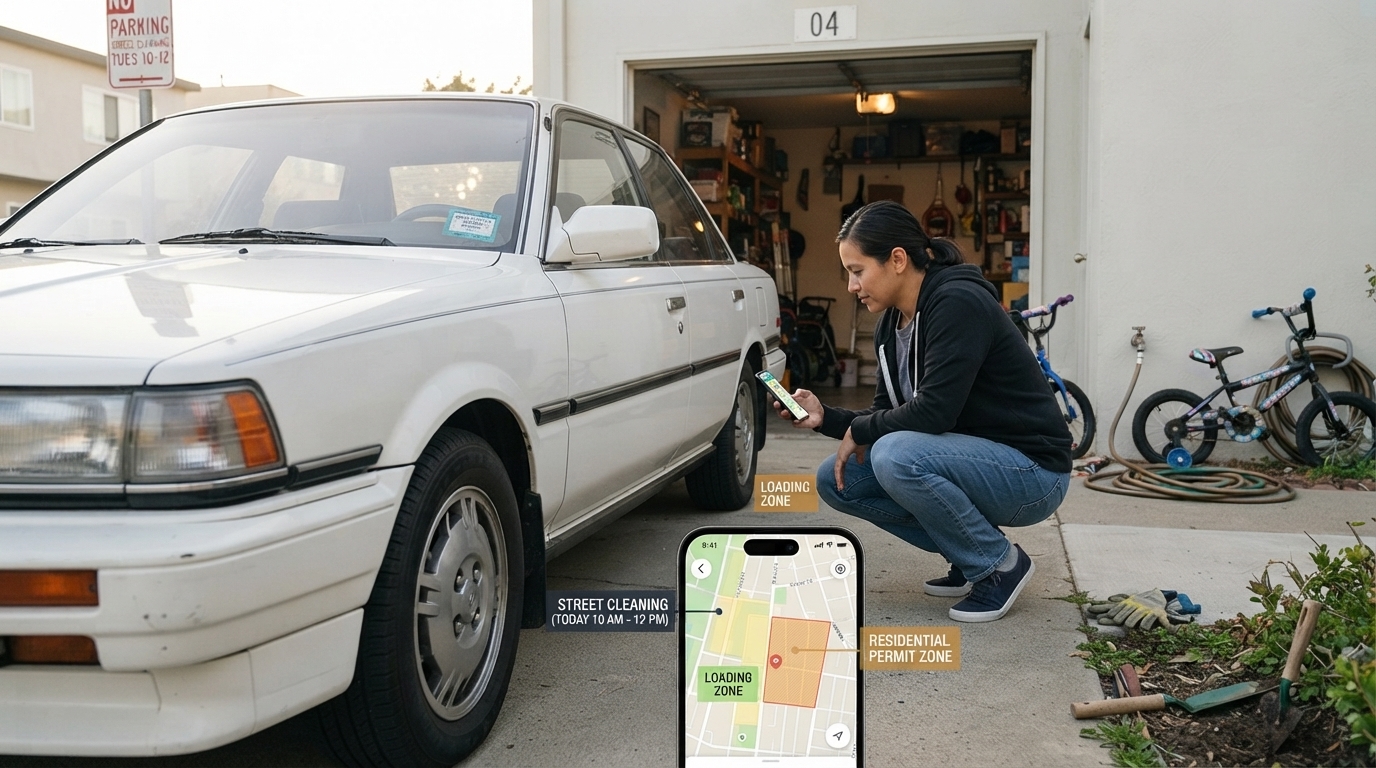
Can AI parking guidance help me avoid street-cleaning times, loading zones, and permit-only areas?
Yes—AI parking guidance can reduce the chances of landing in a spot that turns into a ticket trap, especially around street-cleaning windows, loading zones, and permit-only blocks. The best tools combine map data, posted restrictions, and real-time signals (like time-of-day rules and curb-use changes) to steer drivers toward legal parking options before they commit to a space.
How it helps with street-cleaning schedules
Street-cleaning rules are often tied to specific days and hours, and they can vary by side of the street. AI-powered guidance can flag blocks that are likely restricted at your arrival time and suggest nearby alternatives that remain legal longer. This is most helpful when you set an expected arrival time and a planned duration so the app can screen out streets that will become restricted mid-stay.
How it helps you avoid loading zones
Loading zones can look tempting because they’re open and close to storefronts, but they’re commonly enforced and may be restricted by hour. AI guidance can identify curb segments associated with commercial loading and help route you to permitted public spaces instead. Still, always confirm curb paint, signs, and posted time limits before parking—loading rules can change block to block.
How it helps with permit-only and residential restrictions
Permit-only areas can be tricky because the restriction may apply only at night, only on weekdays, or only to certain permit types. AI tools that account for neighborhood permit rules can warn you when a block is likely resident-only during your planned window, helping you avoid “looks fine” spots that aren’t legal for visitors.
What to double-check before you leave the car
Even strong guidance isn’t a substitute for reading signage. Confirm the nearest posted signs (including arrows and “except” clauses), curb colors, and any temporary notices. When possible, set timers for time-limited parking so you don’t overstay.
For more practical city-parking tips and a calmer routine, visit this stress-free city parking guide.
FAQ
What should I do if the app’s guidance conflicts with the street signs?
Follow the street signs and curb markings, since they’re what enforcement uses. If there’s a conflict, move to a clearly legal spot and report the issue in the app so the data can be corrected.
















Leave a comment