82-Key Wireless Magnetic Gaming Keyboard: 8K Polling
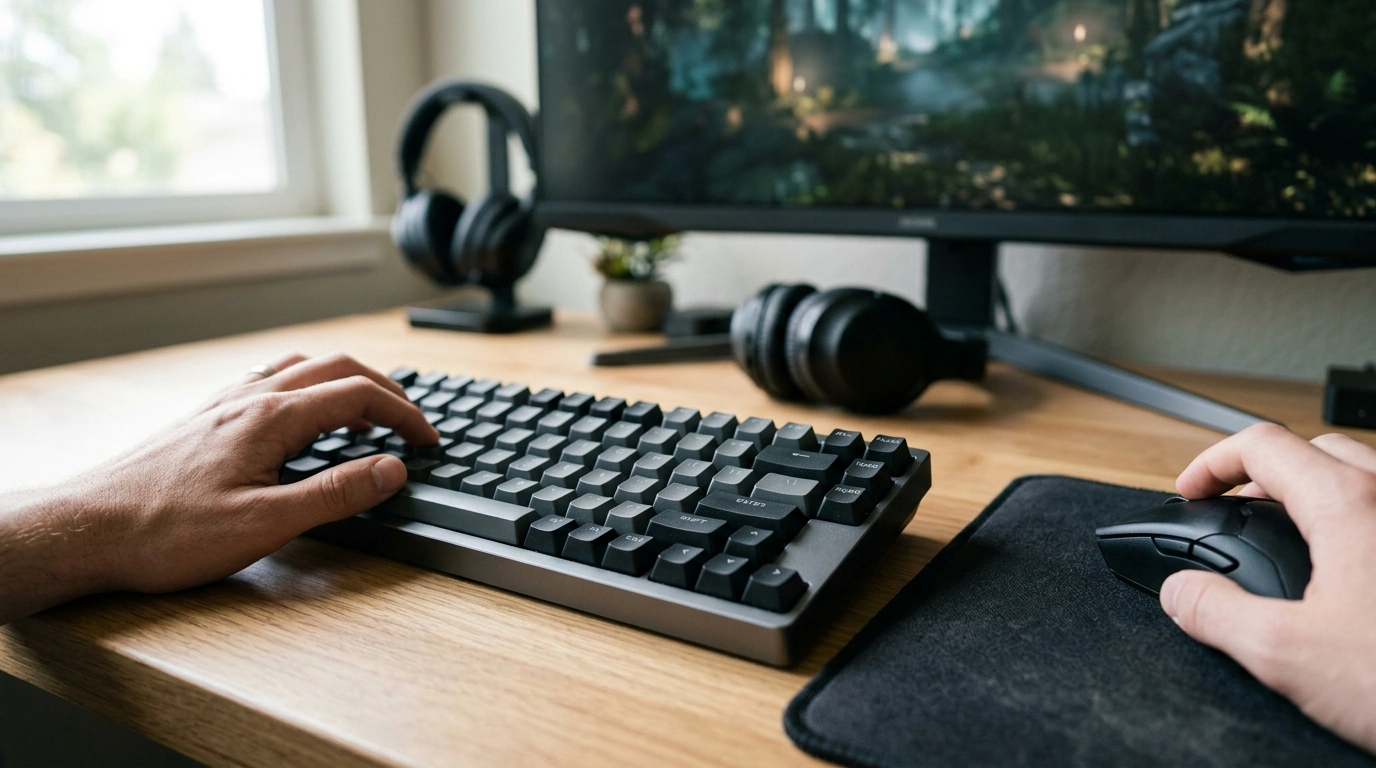
82-Key Wireless Rapid Trigger Magnetic Gaming Keyboard with 8K Polling
For players who want faster inputs without giving up a clean, flexible desk setup, our 82-key wireless magnetic keyboard brings together rapid-trigger style responsiveness and high-rate polling. It’s built for tight movement control, quick resets, and consistent feel—whether your setup is a compact tournament-style layout or a daily driver for gaming and work.
What makes a magnetic rapid-trigger keyboard different
Traditional mechanical keyboards rely on a fixed actuation point and an electrical contact event. Magnetic (Hall-effect style) sensing works differently: it reads key travel position, which can enable more precise actuation behavior when the board’s firmware/software supports it. That’s why this class of keyboard is often chosen for movement-heavy games where clean inputs matter.
- Magnetic sensing focuses on position along the key’s travel instead of only a single contact point.
- Rapid-trigger style behavior is about how quickly a key can re-trigger as it moves up and down—useful for rapid strafes, micro-adjustments, and repeated inputs.
- An 82-key layout keeps arrow keys and navigation essentials while trimming width vs. full-size boards, helping mouse space and shoulder comfort.
- This combination fits players who care about movement control and consistency across repeated actions.
Why 8K polling can matter (and when it won’t)
Polling rate is how often your keyboard reports updates to your PC. Higher polling can reduce the reporting interval, which can tighten the feel in fast-paced titles—especially when the rest of your system is already tuned for low latency. That said, consistency beats peak specs: a stable connection and smooth system performance matter more than chasing numbers.
- 8K polling is most meaningful when the full input chain is optimized: stable connection, capable USB controller/receiver, and a system/game where latency is a priority.
- If your setup is CPU-bound, running heavy background tasks, or using older ports/hubs, the real-world gains may be smaller.
- For competitive play, higher polling plus consistent actuation behavior is often the bigger win than any single spec alone.
Polling rate and input reporting interval (reference)
| Polling rate | Reporting interval (approx.) | What it can feel like |
|---|---|---|
| 1000 Hz | 1 ms | Common baseline for gaming peripherals |
| 2000 Hz | 0.5 ms | Smoother input reporting in ideal conditions |
| 4000 Hz | 0.25 ms | More headroom for low-latency setups |
| 8000 Hz | 0.125 ms | Maximized reporting frequency when supported |
If you want deeper context on end-to-end latency concepts, NVIDIA’s overview is a useful baseline: NVIDIA Reflex — System latency concepts. For USB ecosystem details, you can also reference USB-IF (USB Implementers Forum).
Wireless flexibility without sacrificing control
Wireless gaming is about convenience—cleaner cable routing, easy repositioning, and less desk clutter—especially with compact layouts. At the same time, competitive consistency comes from treating wireless like part of your performance chain: keep it stable, minimize interference, and switch modes based on your day.
- Prioritize the most stable connection method available on the board for your environment.
- If multiple modes are supported, switching can be practical: wireless for a clean setup, wired for tournaments or absolute consistency.
- Placement tip: keep the receiver away from USB 3.x interference sources when possible, and avoid plugging into a crowded rear I/O cluster through an unshielded hub.
For general Windows input guidance (helpful when you’re troubleshooting responsiveness or device behavior), Microsoft’s support hub is a solid reference: Microsoft — Windows input support.
82-key layout: compact where it counts
An 82-key footprint hits a practical middle ground. You keep arrows and the navigation essentials many players miss on smaller layouts, while still reclaiming desk width for mouse movement. If you play on lower sensitivity or rely on wide tracking sweeps, that extra space can be the difference between “almost” and consistent control.
- More mouse room supports larger, cleaner aim sweeps for FPS tracking and flick consistency.
- Less shoulder reach can help you keep a more neutral posture during long sessions.
- For mixed use (gaming plus daily tasks), dedicated arrows/nav keys reduce reliance on layered shortcuts.
How to dial in feel for different game styles
Magnetic rapid-trigger style boards reward small, methodical adjustments. Our team recommends changing one variable at a time, then testing in a consistent drill (same map, same routine) so you’re evaluating feel—not randomness.
Quick checklist before checkout
In-stock picks from our store
- 82-Key Wireless Rapid Trigger Magnetic Gaming Keyboard with 8K Polling
- AI Tools to Organize Your Life Guide – Ultimate Daily Planner Companion (Digital Download)
- “Save Like a Pro!” – The Ultimate Monthly Savings Checklist (Digital Download)
FAQ
Does 8K polling work on any PC?
It depends on the keyboard’s supported modes, the connection method (wired vs. wireless receiver), and overall system stability. Using a direct USB port and minimizing interference helps, but some setups won’t feel a major difference compared with 1000 Hz if performance is limited elsewhere.
What is a magnetic (Hall-effect) keyboard good for in games?
It’s well-suited for games where precise, repeatable key behavior matters, because the board reads key position along its travel rather than a single contact event. When supported by firmware/software, that can translate into more consistent actuation behavior and a faster reset/re-trigger feel for movement-heavy play.
Is an 82-key layout hard to use for everyday work?
Most people adapt quickly because you still get arrow keys and common navigation keys. There can be a small learning curve for any layered functions, but the reduced width is often a net win for comfort and desk efficiency.














Leave a comment