Long-Range FPV Quadcopter + Bluetooth: Setup & Range Tips
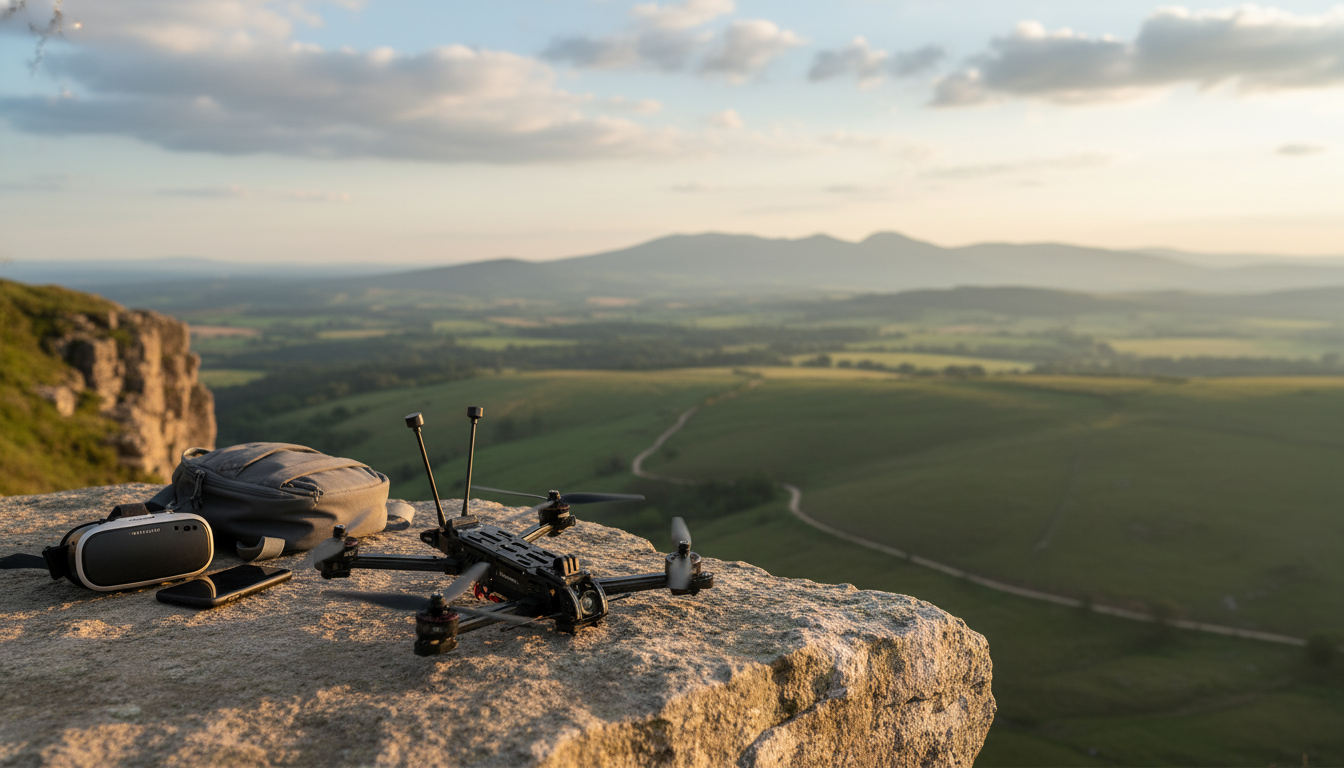
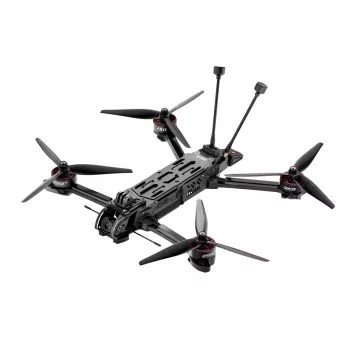
Advanced Long-Range FPV Quadcopter with Bluetooth: What It’s Built For and How to Get the Most From It
A long-range FPV quadcopter is designed for immersive flight, stable control at distance, and a connected setup that’s easier to manage before takeoff. The “long-range + FPV + Bluetooth” mix usually means you’re getting a platform that prioritizes link quality, efficient power use, and convenient ground-side configuration—rather than the fully automated experience of a typical camera drone.
Below is a practical breakdown of what to look for, what to verify before buying, and how to set up safer, more reliable flights.
What “long-range FPV” changes compared to a standard drone
Long-range FPV quads are typically built around one goal: maintain a dependable control/video experience farther from the launch point. That shifts priorities in a few important ways.
- Link reliability and efficiency come first. Long-range builds often favor stable antenna placement, cleaner RF layouts, and efficient propulsion over compact folding designs.
- FPV depends on a real-time video chain. Camera quality, transmitter/receiver compatibility, and antenna choice can matter as much as the airframe itself.
- More setup decisions. Channels, bands, output power levels, OSD warnings, and failsafes are part of normal ownership, not edge cases.
- Range claims vary widely in real life. Interference, terrain, line of sight, and legal power limits can shrink usable distance. Even humidity and nearby Wi‑Fi congestion can change the experience.
Bluetooth features that can simplify setup
Bluetooth on an FPV quad is usually a short-range “companion” connection used on the ground. It’s commonly there to make configuration faster and reduce the need to plug into a computer for routine changes.
- Quick configuration from a phone. Depending on the ecosystem, Bluetooth may support pairing to view settings, adjust profiles, or confirm component status.
- Status checks before arming. A good companion app can speed up preflight routines (battery status, basic telemetry, configuration reminders).
- Firmware prompts and identification. Some systems can identify connected components and nudge you toward compatibility updates.
- It’s not your long-range control link. Long-range control and video are typically handled by dedicated radio/video systems; Bluetooth is for close-proximity setup.
Before buying, confirm the required app name, your phone OS support, whether an account is required, and whether key features work offline (useful when flying away from cell service).
Bluetooth Use Cases to Confirm Before Buying
| Feature | Why it matters | What to verify |
|---|---|---|
| Quick pairing | Faster preflight checks and configuration | Pairing steps, supported phones, connection stability |
| Settings management | Adjust rates, modes, OSD, or profiles without extra hardware | Which settings are adjustable and whether changes persist after power cycle |
| Firmware updates | Fixes bugs and improves compatibility | Update method, rollback options, and whether updates require a computer |
| Device status | Battery, signal, and component checks before takeoff | What telemetry is shown and how frequently it updates |
Key performance areas to evaluate (and how they affect real flights)
Specs don’t always translate cleanly into confidence in the air. These are the performance areas that tend to matter most once you’re beyond the immediate launch zone.
- Control link reliability. A stable receiver protocol, well-mounted antennas, and a tested failsafe reduce the chance of an unexpected flyaway or drop. Failsafe behavior should be configurable and verified on the bench.
- Video link quality. Confirm bands/channels, output power options, and antenna type. More power can help in clean RF environments, but it can also raise heat and increase interference where the airwaves are crowded.
- Battery and efficiency. Long-range flight is limited by usable capacity and current draw. Smooth throttle management, efficient props, and well-matched motors can add meaningful minutes.
- Frame durability and vibration control. Balanced props, secure hardware, and careful cable routing help keep video clear and flight behavior predictable.
- Return behavior. Some setups use GPS-assisted return-style features; others rely on pilot navigation plus a conservative failsafe. Know which you have, and practice before pushing distance.
Compatibility checklist for an FPV setup
Preflight Compatibility Checklist
| Component | Confirm this | Common pitfall |
|---|---|---|
| Goggles/receiver | System type and channel support | Buying incompatible analog/digital gear |
| Controller link | Receiver protocol match | Assuming any controller will bind |
| Antennas | Connector type and polarization | Mixing LHCP/RHCP or wrong connectors |
| Batteries/charger | Correct cell count and connector | Underrated charger or mismatched connectors |
| Spare props | Size and mounting style | Wrong hub pattern or pitch |
Setup essentials for safer long-range flights
For U.S. operating basics and safety guidance, review the FAA’s resources at Federal Aviation Administration (FAA) — Drone Safety Guidance. For RF device fundamentals and authorization context, see FCC — Equipment Authorization.
Care, maintenance, and storage
For background on the technology behind Bluetooth connectivity (and what it’s designed to do well), see Bluetooth SIG — Bluetooth Technology Overview.
Where to get the Advanced Long-Range FPV Quadcopter with Bluetooth
- Advanced Long-Range FPV Quadcopter with Bluetooth ($1268.49)
- Confidence, Not Ego – Checklist to Understand Confidence vs Ego Explained Simply | Daily Builders, Ego Traps, AI Tips & Quick Test ($2.99)
- Bicycle Touring Tips – The Ultimate Bicycle Touring Tips Guide for Planning, Packing & Riding with Confidence | Digital Download ($8.99)
FAQ
Does Bluetooth control the quadcopter at long range?
No. Bluetooth is typically used for short-range setup and configuration while you’re on the ground; long-range control and video are handled by dedicated radio and video links designed for distance.
What limits real-world range for FPV flights?
Interference, antenna placement, terrain and line of sight, legal power limits, battery capacity, and wind all affect usable range. Conservative turn-around planning is often the difference between a comfortable landing and a low-voltage scramble.
What should be tested before attempting a long-range flight?
Test failsafe behavior, confirm link quality, do short-range flights first, and set clear voltage/link-quality warnings in the OSD. If GPS or return-style features exist, verify they work as expected, and always have a recovery plan.















Leave a comment