Dynamic USB-C Mic for Streaming, Recording & Gaming
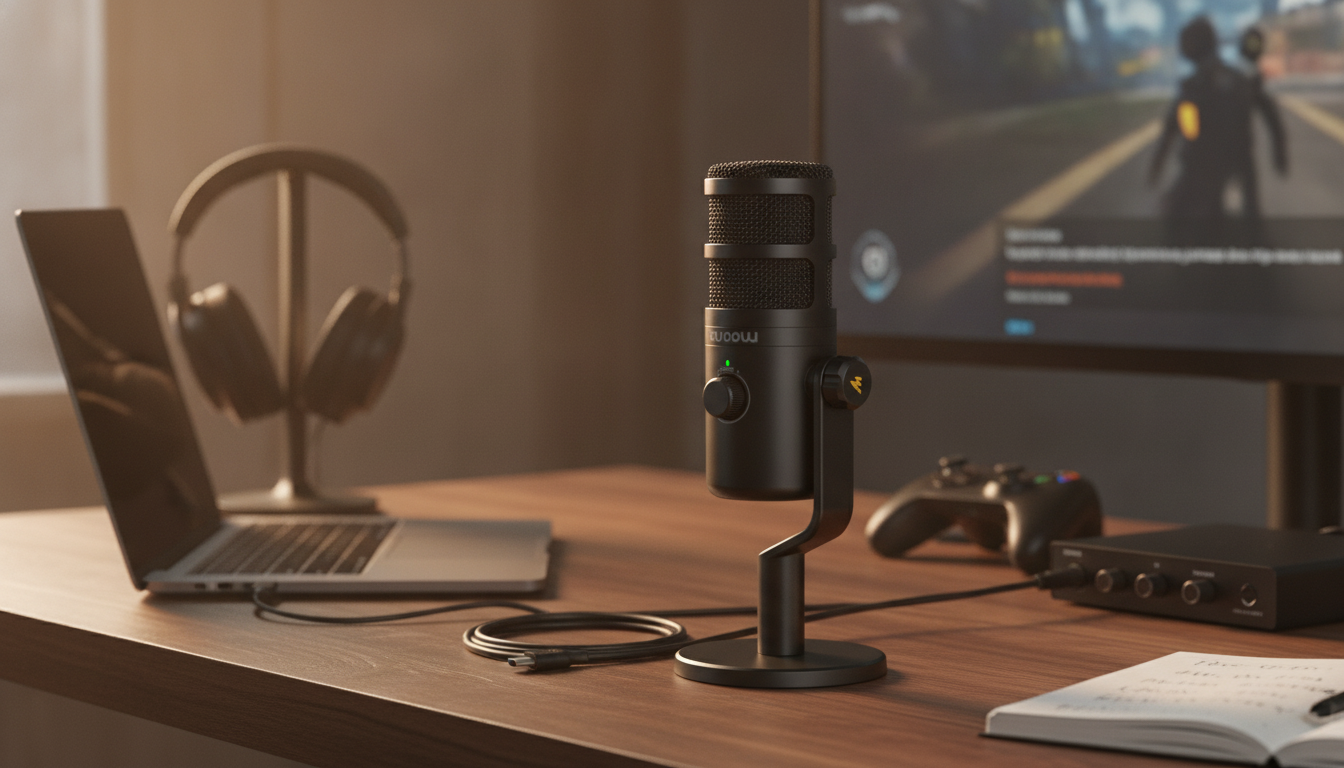
Dynamic USB‑C Microphone for Streaming, Recording & Gaming: Clear Voice, Simple Setup
A dynamic USB‑C microphone is a practical upgrade for creators who want a cleaner, more controlled voice sound without complicated gear. It’s designed for close-up speech, which can help your voice stay front-and-center while reducing a lot of the “room” that makes streams, calls, and recordings sound distant. Below is a clear way to judge whether this mic style fits your desk, how to dial it in quickly, and which features matter most when shopping. For more guidance, see Best Microphones for Streaming – 2026 Top Ratings, & Reviews.
Who This Microphone Style Fits Best
- Streamers in untreated rooms who want better voice focus and less pickup of keyboard clicks and PC fan noise than many more sensitive mic types.
- Gamers who need dependable voice chat with minimal setup and stable levels when speaking close to the mic.
- Podcasters and remote workers looking for a plug-and-play option that pairs well with modern USB‑C laptops and desktops.
- Creators skipping the audio interface step and aiming for a straightforward path to improved voice quality.
What “Dynamic” Means for Everyday Use
Dynamic microphones are often chosen for voice because they tend to sound best when you speak close to them. That close placement increases clarity and presence, and it can reduce how much of the room gets captured compared with highly sensitive microphones. For further reading, see The RPG Beginner’s Guide to Microphones, Cameras, and Streaming.
- Handles louder sources well, and usually benefits from close-talking for an up-front sound.
- Less room ambience in many real-world setups, helping speech stay more direct and intelligible.
- Technique matters: keep a steady distance and speak slightly off-axis to soften plosives (“p” and “b” bursts).
- Flexible processing: can sound solid with minimal adjustments, and also pairs well with light gating and compression.
For a deeper, plain-language comparison of dynamic vs. condenser behavior, Shure’s educational overview is a helpful reference: Dynamic vs. Condenser Microphones.
USB‑C Convenience: What to Expect
USB‑C is about simplicity: one cable for power and audio, fewer boxes on the desk, and fewer “why isn’t this routed correctly?” moments. For streaming or calls, that fast reliability is often the whole point.
- Single-cable connection can carry both audio and power, reducing clutter.
- Quick compatibility for many computers—ideal when you want to start a stream or meeting without extra hardware.
- Useful physical controls (mute, gain, monitoring) can save a live moment when levels suddenly change.
- Mobile use considerations: confirm adapter needs and whether your device supplies enough power for stable operation.
Key Features to Prioritize Before Buying
Two microphones can both be “USB‑C dynamic” and still feel totally different day-to-day. The best value usually comes from the controls and mounting options that make consistent placement easy.
- Monitoring: zero-latency headphone monitoring helps pacing and prevents talking too loudly over game audio.
- Controls: a physical mute button is valuable on stream and calls; gain control helps match your natural speaking volume.
- Pickup pattern: cardioid-style focus is typically preferred for isolating voice at a desk.
- Mounting: boom arm/stand compatibility (plus shock isolation if your desk gets bumped) keeps sound steady.
- Plosive control: a windscreen or pop filter makes speech more consistent and reduces sudden low-frequency spikes.
- Software support (optional): app EQ and filters are nice, but the mic should sound good without mandatory software.
| Priority | Why it matters | What to look for |
|---|---|---|
| Mute control | Instant silence on stream/calls | Dedicated button with clear status indication |
| Monitoring | Hear yourself without delay | Headphone jack with adjustable volume |
| Stable mounting | Less rumble and fewer bumps | Boom arm thread compatibility; shock isolation if possible |
| Plosive protection | Cleaner speech and fewer spikes | Foam windscreen or pop filter support |
| Cable reliability | Fewer dropouts and crackles | Firm USB‑C port and a quality included cable |
Setup Tips for Streaming
If you stream with OBS, their documentation is a good place to confirm audio device selection and monitoring settings: OBS Studio Documentation.
Setup Tips for Recording and Voiceovers
Setup Tips for Gaming Chat
Common Problems and Fast Fixes
Product Spotlight: Dynamic USB‑C Microphone for Streaming, Recording & Gaming
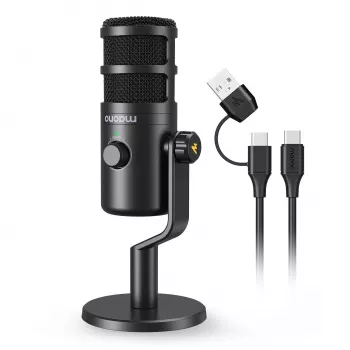
If the goal is a focused voice sound with minimal fuss, the Dynamic USB‑C Microphone for Streaming, Recording & Gaming is a straightforward option built around simple USB‑C connectivity and a dynamic-style approach that rewards close speaking.
| Item | Details |
|---|---|
| Name | Dynamic USB‑C Microphone for Streaming, Recording & Gaming |
| Price | $70.82 |
| Availability | In stock |
| Best for | Streaming voice, recordings, gaming chat |
Helpful Add-Ons for a Creator Desk
- AI Tools to Organize Your Life Guide – Ultimate Daily Planner Companion (Digital Download) for planning recording blocks, upload schedules, and editing checklists.
- Calvin Klein Black Print Backpack with Zip for carrying a compact creator kit (mic, cables, small stand) to a friend’s setup or a remote workspace.
Care, Handling, and Placement for Long-Term Use
FAQ
Is a dynamic USB‑C microphone good for streaming in a noisy room?
It can be a strong choice because dynamic mics often emphasize close speech and capture less room sound than very sensitive alternatives. Keep the mic close, use moderate gain, and add a light noise gate to reduce idle background noise.
Do you need an audio interface with a USB‑C dynamic microphone?
No—USB microphones generally connect directly to a computer or compatible device without an interface. Audio interfaces are mainly for XLR microphones or for more advanced routing and input expansion.
How far should the microphone be from your mouth for clear voice?
A good starting range is about 2–6 inches, adjusting based on plosives, breath noise, and how much room sound you hear. Speaking slightly off-axis usually helps keep speech clear while reducing pops.













Leave a comment