USB-C/XLR Dynamic Gaming Mic: RGB, Noise Reduction
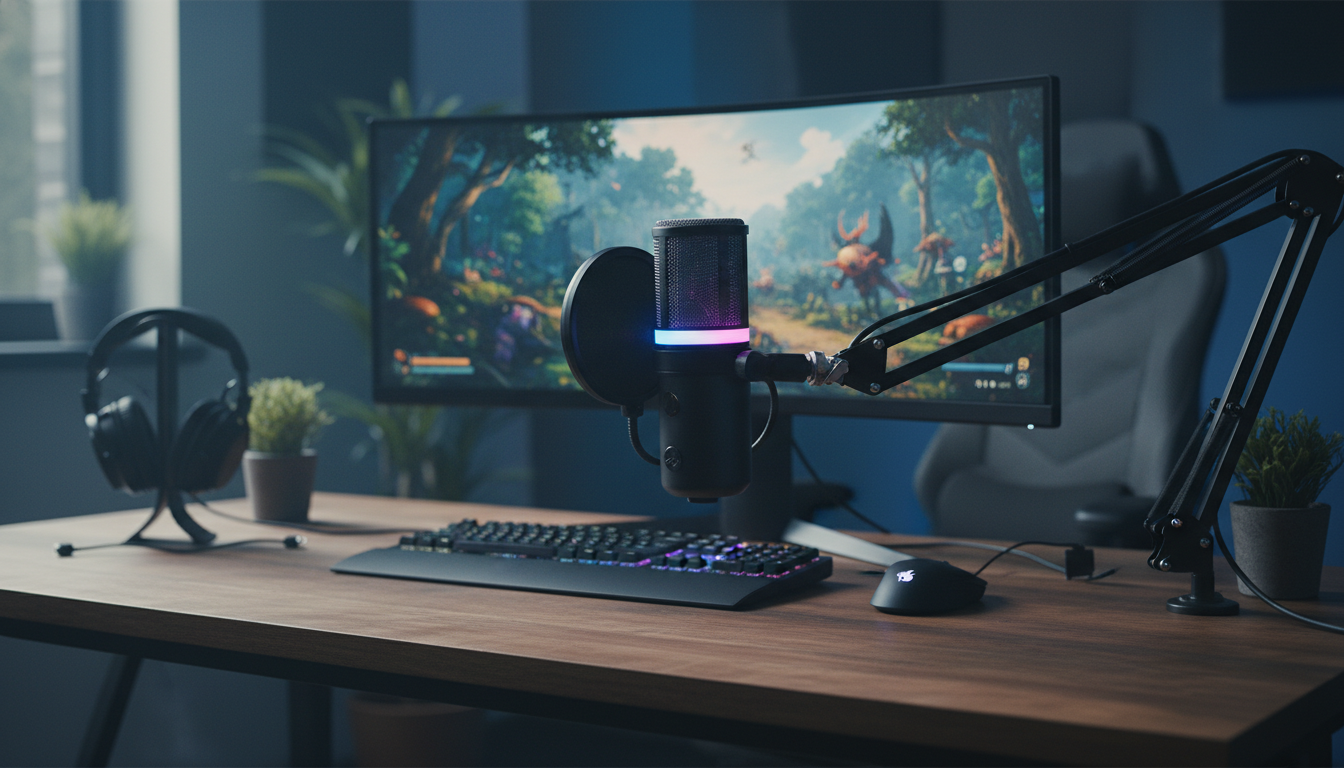
Dynamic USB-C & XLR Gaming Microphone with RGB and Noise Reduction
A dynamic mic that works over both USB-C and XLR can simplify a gaming or streaming setup: plug straight into a PC/console for quick use, or route through an audio interface for more control later. This guide covers what makes a dynamic capsule practical for voice, how dual connections change your workflow, what noise reduction can realistically do, and how to set up the mic for clear chat, streaming, and recordings.
What Makes a Dynamic Gaming Microphone Different
For voice-heavy use like Discord, in-game comms, and livestreaming, dynamic microphones are popular because they tend to be less sensitive than many condensers. That lower sensitivity can translate to less pickup of common desk noise—keyboard clicks, PC fans, and room reflections—especially in untreated bedrooms and shared spaces.
Dynamic capsules also handle close-mic speech well. When you work within a few inches of the grille (with a pop filter or windscreen), you can get a strong, present vocal tone while keeping background sounds comparatively quieter. It’s not magic—placement still matters—but it’s often a smoother starting point before any software processing.
If you want a deeper technical comparison of capsule types, Shure’s overview is a solid reference: Difference Between Dynamic and Condenser Microphones.
USB-C and XLR: Two Ways to Connect, Two Different Workflows
A dual-output microphone is essentially two workflows in one body:
- USB-C mode is the fastest path to usable audio: plug in, select the mic in your game, Discord, OBS, or console-compatible setup, and start talking.
- XLR mode is the traditional studio/streaming route: connect to an audio interface or mixer for gain staging, routing multiple sources, and adding hardware features (like compression) if your gear supports it.
- Starting on USB now and moving to XLR later helps avoid replacing the microphone when you upgrade the rest of your chain.
- Before buying, confirm USB compatibility with your device (PC/Mac, console dock, or OTG needs) and confirm your interface has the right inputs for XLR.
USB-C vs XLR at a glance
| Connection | Best for | What else is needed | Typical advantage |
|---|---|---|---|
| USB-C | Plug-and-play gaming, calls, basic streaming | Computer (and sometimes a compatible adapter/OTG for mobile) | Fast setup and consistent levels |
| XLR | Streaming rigs, recording chains, multiple audio sources | Audio interface or mixer + XLR cable | More control over gain, routing, and hardware features |
Under the hood, USB microphones generally follow standardized USB audio behavior so computers can recognize them as audio devices. For background on how USB audio devices are defined, see the USB-IF documents hub: USB Audio Device Class Specification (USB-IF).
Noise Reduction: What It Can (and Can’t) Fix
Noise reduction can be genuinely helpful—but it works best as a finishing touch, not a rescue tool. Many noise reduction tools are most effective against steady, consistent sounds like HVAC rumble or a constant PC hum. They’re far less successful with sudden noises such as desk bumps, loud mechanical keyboard clacks, controller drops, or a chair squeak right next to the mic.
For the cleanest results, focus on the input before processing:
- Get close to the mic so your voice is naturally louder than the room.
- Set gain correctly so you’re not boosting hiss and background noise.
- Reduce vibration with a stable stand/arm and sensible desk habits.
- Use gentle processing: light noise reduction plus a gate/expander for chat can keep pauses quiet without making your voice sound “underwater.”
If you want to understand what artifacts sound like and why overdoing it can create metallic or “pumping” audio, Audacity’s documentation provides a practical explanation: Audacity Manual: Noise Reduction.
RGB Lighting: When It Helps and When It’s Just Decoration
RGB on a microphone is mostly about presentation, and that’s not a bad thing. On camera, a mic is often a prominent part of the frame; coordinated lighting can make a setup feel intentional and polished. RGB can also be functional if the mic supports lighting that reflects status (like mute or level), letting you confirm at a glance without digging through software menus.
- Camera-friendly placement: angle the mic so lighting doesn’t reflect into the lens or cast odd color onto your face.
- Minimal-software preference: if you dislike background apps, check whether lighting can be controlled directly on the mic or saved to onboard memory.
- Keep it subtle: slow transitions or a single static color often looks cleaner than rapid effects during streams.
Setup Tips for Clear Voice in Games, Discord, and Streaming
Small adjustments usually beat heavy filters. A strong baseline sound makes every app—Discord, OBS, game chat, and recording software—easier to manage.
Who This Mic Fits Best
Product Snapshot: Dynamic USB-C & XLR Gaming Microphone with RGB and Noise Reduction
Dynamic USB-C & XLR Gaming Microphone with RGB and Noise Reduction
At-a-glance details
| Item | Detail |
|---|---|
| Name | Dynamic USB-C & XLR Gaming Microphone with RGB and Noise Reduction |
| Price | $61.51 USD |
| Availability | In stock |
More In-Stock Picks
- Confidence, Not Ego – Checklist to Understand Confidence vs Ego Explained Simply | Daily Builders, Ego Traps, AI Tips & Quick Test
- The Art of a Real Compliment: How to Give a Genuine Compliment in Every Situation
FAQ
Are there dynamic USB mics?
Yes. Some dynamic microphones include a built-in USB audio interface, so they can connect directly to a computer while still using a dynamic capsule that often helps keep room noise lower in untreated spaces.
Can USB-C transmit a microphone?
Yes. USB-C can carry digital audio and power; a USB-C microphone typically converts the mic signal internally and appears to the computer as a standard USB audio device.















Leave a comment